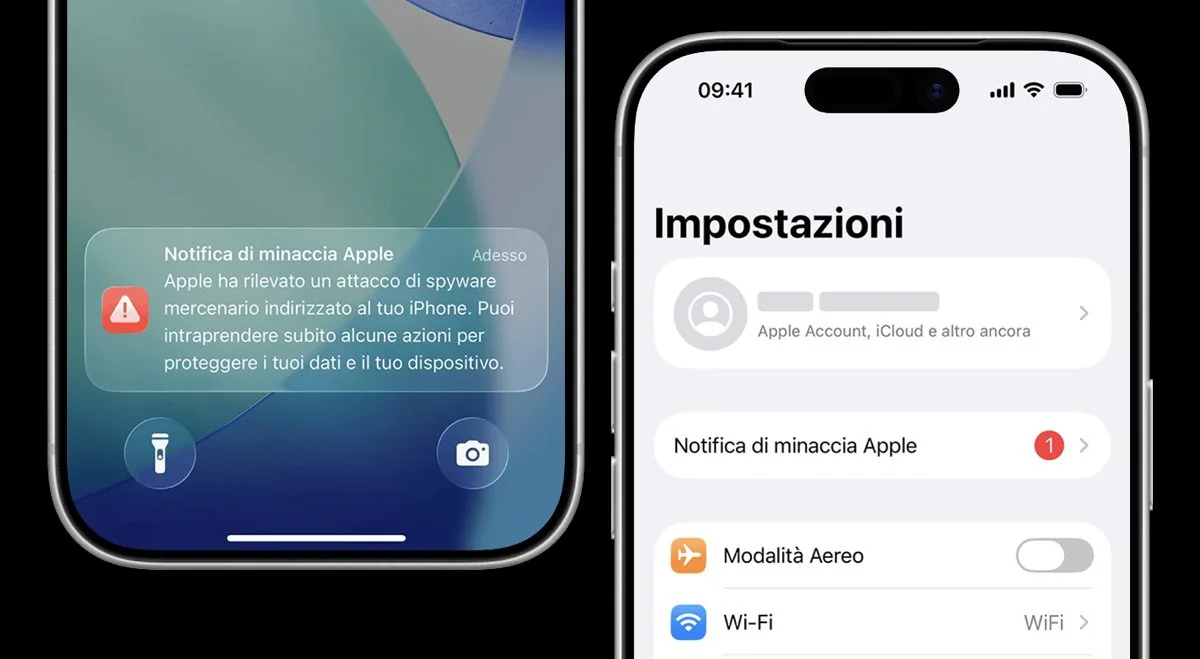
«Apple has detected a mercenary spyware attack targeting your iPhone». A notification containing part of this alert message reached Apple users in 110 countries in recent days. The alert concerns mercenary spyware, which is extremely sophisticated surveillance software developed to allow cybercriminals to infiltrate the devices of specific people. Receiving the alert does not necessarily mean confirmation that your iPhone has been successfully hacked. However, it indicates that Apple has identified activities compatible with a targeted attack in the previous weeks or months and believes that the risk is sufficiently concrete to the point of having to send the alert. For this reason, the company considers these notifications particularly reliable and invites recipients to take them seriously.
How likely are you to be hit by attacks of this type and, therefore, to receive similar notifications? They are relatively few. As the Cupertino company explains on this support page, in fact, «qThese attacks are much more sophisticated than normal cybercriminal activities, as mercenary spyware attackers use exceptional resources to target a very limited number of specific people and their devices» adding that «Mercenary spyware attacks cost millions of dollars and are often short-lived. (…). Most people will never be targeted by these attacks». In case you have received the alert with which we opened the article, we will shortly see what you should do to remedy the situation.
What is mercenary spyware that attacks iPhone
Mercenary spyware attacks have historically been associated with government agencies and private companies that develop spyware on behalf of governments. A now well-known example is Pegasus, produced by the Israeli company NSO Group. Among the most frequent targets of such attacks are above all journalists, activists, politicians and diplomats. The phenomenon remains rare for most users, but attacks continue to occur in several countries. Furthermore, surveillance technology has spread to the point that it can also be used against people engaged in activities critical of the authorities.
What makes Apple notifications particularly important is precisely their ability to bring to light cases that might otherwise remain hidden. John Scott-Railton, a senior researcher at Citizen Lab, highlighted how a single alert can prompt a person to seek help and subsequently prompt a larger investigation. To the magazine of TechCrunch he in fact explained that «Notifications create a critical signal that a community is being targeted. People get a warning and then some of them reach out and seek help. Often this kickstarts an investigation that reveals many, many more cases».
What to do if the Apple alert arrives on your smartphone
If you receive the Apple threat notification, therefore the notification that contains the text present in the incipit of this article, you should follow the advice that the “bitten apple” gives on its support pages and, therefore, activate isolation mode, a security function that limits some capabilities of the device to make it more difficult for spyware to infiltrate. It is also advisable to contact specialized personnel to receive personalized guidance. Among the measures suggested by Apple is in fact that of contacting the digital security helpline, available via the appropriate website.
In all of this, you need to be very careful about possible false security notifications that may not come from Apple but from real scammers. An authentic threat notification will never ask you to click on a link, open an attachment or install applications or profiles, nor will it ask you to provide passwords or verification codes. If a notice asks you for one of these things, be wary: it definitely isn’t from Apple. And if you really want to do the “litmus test”, you can go directly to your Apple Account page: if the warning is real, it should be visible there too.