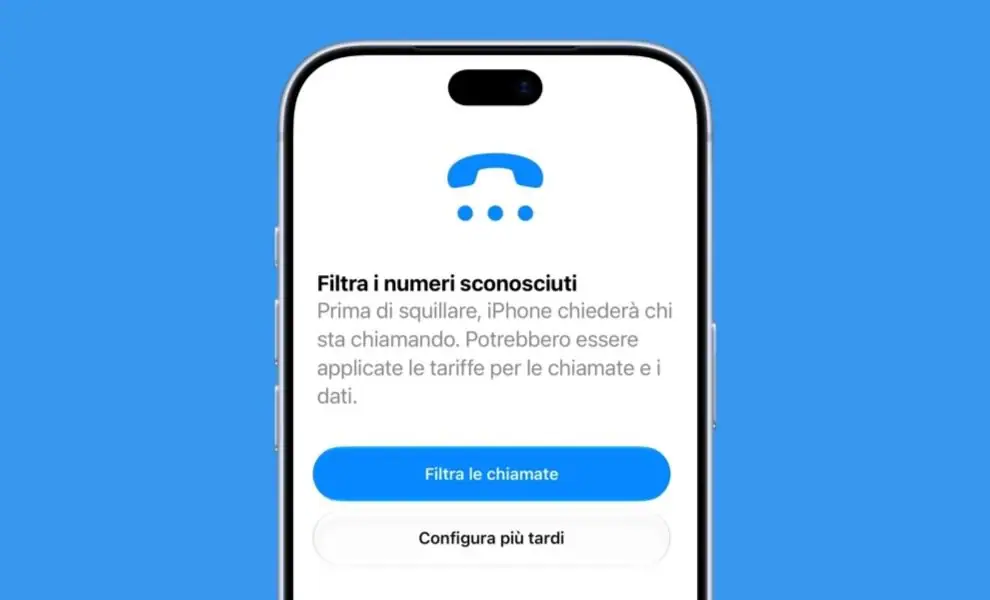
With iOS 27.2, a function for iPhone finally arrives in Italy that allows you to filter spam calls and do it in a rather intelligent way. We are talking about the function called “Ask the reason for the call”, presented by Apple at the 2025 WWDC together with iOS 26, but initially not available in all countries and in all languages. Only now, with iOS 27.2 still in beta version (a test version distributed before the final release), the option also appears on iPhones configured in Italian. This suggests that as soon as the new update is released to everyone, it will finally be possible to enjoy the new function which, essentially, filters unknown numbers by asking whoever is calling the reason for the call and doing so before the phone rings, thus putting us in a position to understand if it is a spam call before even answering. Let’s see in more detail how the new iPhone anti-spam system works and how to activate it once iOS 27.2 is released in its stable version.
How the new iPhone anti-spam filter works
How the “Ask the reason for the call” setting works is, conceptually, really simple. The option, if activated on your iPhone, comes into action when an incoming call comes from a hidden number or a phone call from a number that is not stored in the iOS Contacts app. When this condition occurs, the iPhone asks the caller to identify themselves and explain the reason for the call (hence the name of the feature). This means that to find out if a call is potentially spam you don’t have to answer it and grope in the dark: you can determine it from the transcript shown by the iPhone.
The response provided by the other person is then transcribed and shown on the iPhone’s display. Meanwhile, the call remains active. This puts the user who receives the alleged spam phone call to read what the system transcribed and decide what to do. You can accept the call, reject it or ask the caller for further information. This last possibility is particularly interesting because you can write a message directly on the screen and let the iPhone read it aloud during the call. This way you can continue to interact with the caller without having to speak to them and without using your voice during the interaction. This last detail is particularly useful for preventing all those scams which, by exploiting artificial intelligence, clone a person’s voice and then use it to their detriment.
The system exploits the technology already used by Live Secretariat, while the information processing takes place locally, directly on the iPhone, without going through external servers. When you decide not to accept the call, the person on the other end of the receiver can possibly leave a voice message, although this may depend on how you have decided to configure your answering machine.
When the function arrives in Italy and how to activate it
Now there is a knot to untie and that is when the function arrives. Or rather, when iOS 27.2, which is currently only available in beta version, will be available for everyone. According to some rumors, the update should be released in October 2026, therefore within next month, but it cannot be ruled out that this could actually arrive in December 2026. Why could this last hypothesis be more plausible? Because all “.2” versions of past iOS updates were released during the last month of the year. If we take the last five years as a reference, we see that iOS 26.2 was released on December 12, 2025; iOS 18.2 was released on December 11, 2024, iOS 17.2 was released on December 11, 2023, iOS 16.2 was released on December 13, 2022, while iOS 15.2 was released on December 13, 2021.
In any case, as soon as iOS 27.2 is available and you install it on your iPhone, you can then activate the anti-spam filter that we told you about in this article in a very simple way. Just follow the following steps.
- Open the Settings app on iPhone.
- Scroll down the screen and tap on Apps.
- Tap on Phone.
- Scroll through the new screen that opens until you reach the Filter unknown numbers section.
- Choose the Ask why I’m calling option.
We conclude by talking about some limits of this function, limits that the Cupertino company itself has put in black and white on this information page. Apple, in fact, specifies:
If you are roaming, phone calls are not identified, regardless of your settings. If you call emergency services, the call identification feature is deactivated for 24 hours.