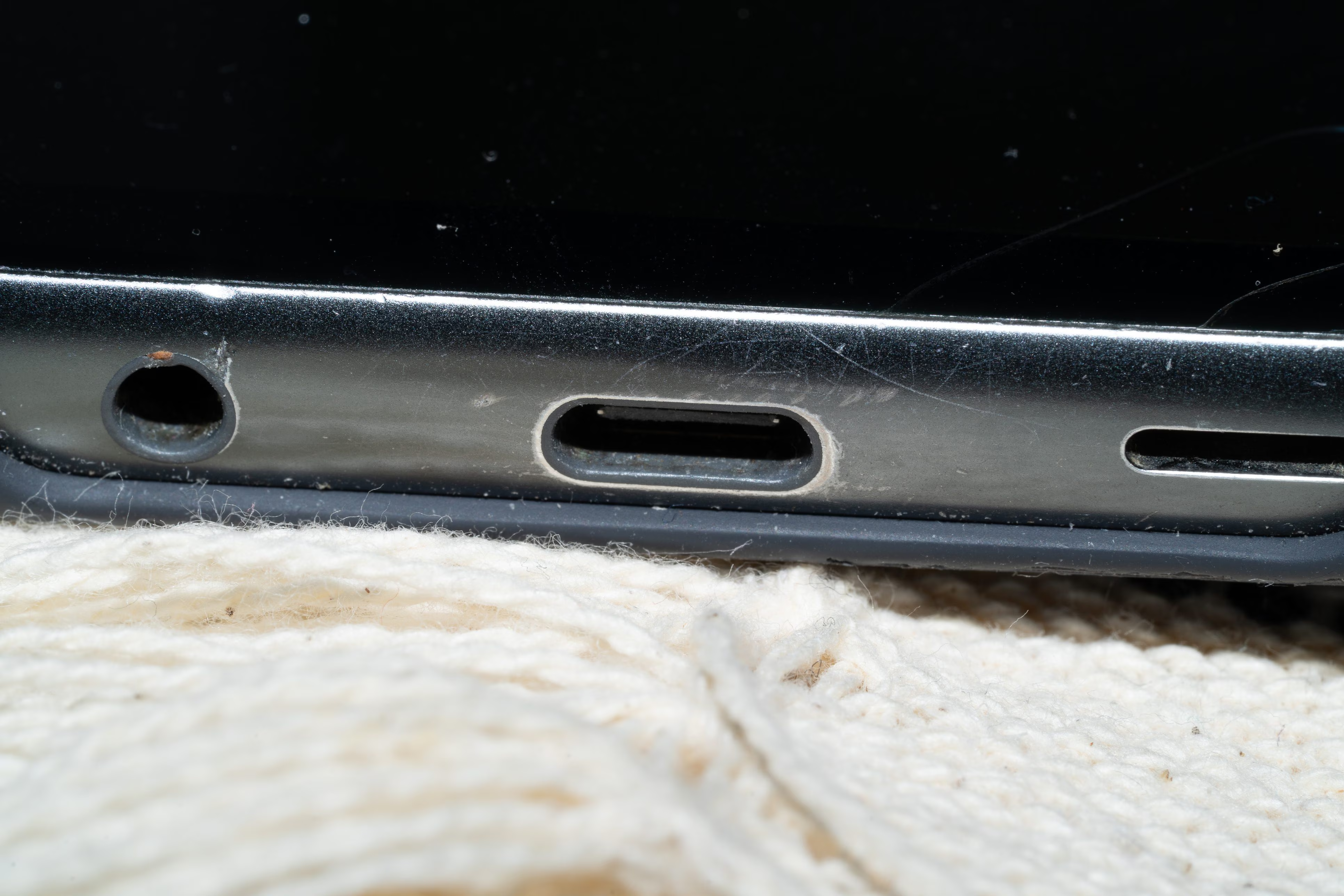
You put your smartphone on charge, come back after an hour… and the battery is still zero. What are you thinking? The failure of an internal component? A defect in the cable or in the transformer itself? Although these explanations may sometimes be plausible, there could actually be a much less “serious” cause: the charging port – now USB-C type in the vast majority of devices in circulation – could be blocked by dust, lint and small debris. Over the course of the day, as you stick your phone in your pockets or bags, these materials build up in the connector cavity, creating a barrier that prevents the cable from making stable electrical contact. This contact is essential because it allows the passage of current from the power source to the battery: if it fails, charging becomes intermittent or stops completely. To solve the problem safely, it is possible to intervene with targeted methods such as the use of compressed air, small wooden or plastic tools for the most stubborn residues and, in the most difficult cases, minimal quantities of isopropyl alcohol, avoiding metal objects such as needles and paper clips.
How smartphone USB-C sockets are made
Understanding the phenomenon is also useful to avoid useless or costly interventions. The so-called “conductivity”, i.e. the ability of a material or system to allow the passage of electric current, can be significantly reduced when impurities of some kind are inserted between the metal contacts. In USB-C connectors, which are characterized by a compact structure and very closely spaced pins (the “pins”, for the record, are the small metal contacts that transfer energy and data), even a relatively minimal amount of dirt can compromise the correct functioning of the charging system.
Before assuming more serious faults, we can therefore visually check the state of the port: just illuminate the inside of the connector with a torch to check if the contacts are visible or if they are covered by debris. If we notice accumulations, intervening with correct cleaning can completely restore the functionality of the device, avoiding unnecessary risks and prolonging the life of the smartphone.
How to clean your phone’s USB-C cable
The first step is to turn off your phone. This is not a general precaution: cutting off the power reduces the risk of short circuits, i.e. unwanted electrical connections that could damage the internal circuits. Once the phone is turned off, you can move on to cleaning operations. An effective way to remove dirt is to use compressed air, i.e. atmospheric air reduced in volume by a compressor, thus increasing its pressure and density. It is important to dispense it in short pulses and keep the can in a vertical position and a few centimeters from the charging port you are going to act on. If you don’t have a can of compressed air, avoid blowing into the door with your mouth, as you would introduce moisture.
If the dirt is more compact, you can try to intervene with a wooden or plastic toothpick. The choice of material is not random: avoiding metal reduces the risk of scratches and short circuits. We can wrap the tip of the toothpick with lint-free material or tape (sticky side out) to “catch” debris without pushing it deeper. However, the operation must be carried out very carefully: the central pins are particularly sensitive and their deformation could definitively compromise the functioning of the door; so, watch out!
Only in the presence of more stubborn residues can we resort to isopropyl alcohol, a substance used in electronics for its rapid evaporation and low electrical conductivity. Here too the quantity must be minimal: a slightly moistened swab is more than sufficient. If you use this solution, avoid direct contact with the internal pins. Immediately afterwards, a further jet of compressed air helps to eliminate any liquid residues. In general, “dry” methods are always preferable because they reduce the risk of infiltration.
The tools to avoid when cleaning your smartphone’s charging port
When cleaning your smartphone’s charging port, keep in mind that some commonly used tools should be avoided. For example, metal objects such as paper clips or needles can cause irreversible damage and create short circuits. Toothbrushes with stiff bristles are too abrasive (in their place it is possible to purchase special brushes with soft bristles designed for cleaning electronic components). Cotton balls can also be problematic, as they release fibers that build up further.