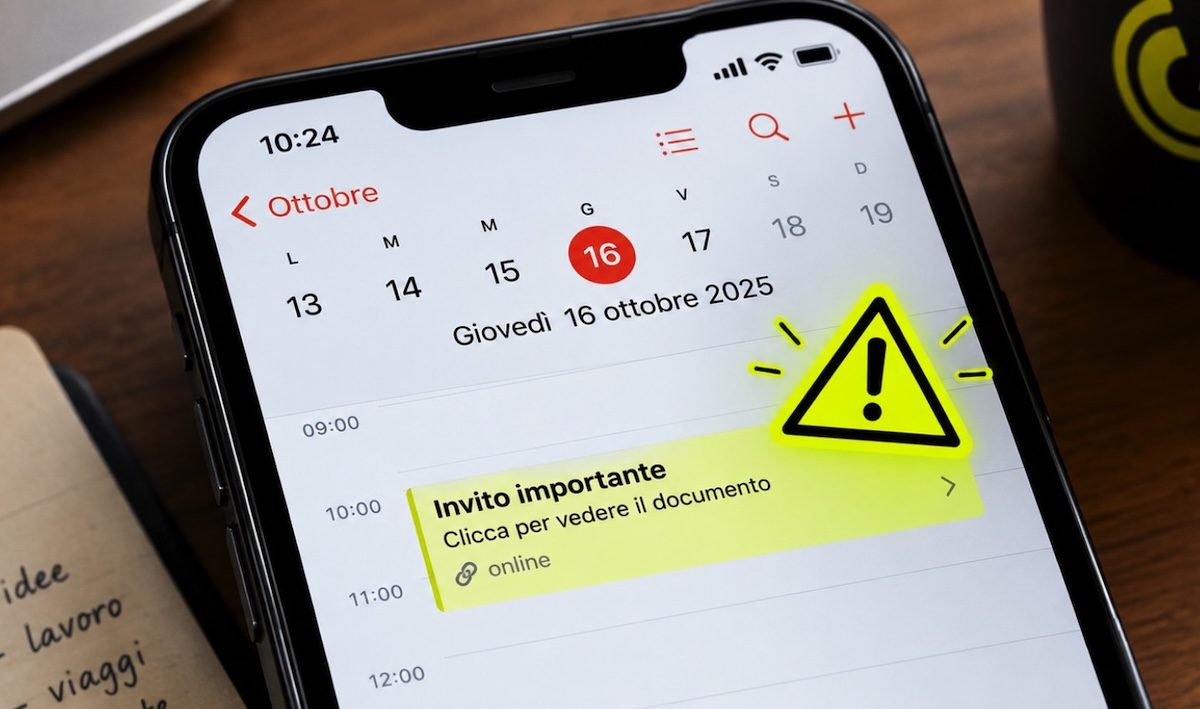
A simple notification on the calendar can become the first step towards the theft of your credentials and, in the most serious cases, of the money you have deposited in your bank account. The mechanism known as Calendar Phishing, or even Calphishing, is insidious precisely because it uses a tool that many people use every day to organize their week: the smartphone calendar and, in this case, Google Calendar or Microsoft Outlook. Cyber criminals usually attack tools that users use with a certain frequency and, let’s face it, even with a certain nonchalance, precisely because potential victims are unaware of the dangers that could hide when certain particular conditions occur. So let’s see how the calendar scam works and, above all, what to do to defend yourself.
What is Calendar Phishing
Calendar Phishing is a particular phishing technique that uses event invitations to reach potential victims. As you may already know, phishing is a form of computer scam in which criminals pose as trustworthy entities, such as a bank or online service, to convince potential victims to share confidential information. In this case, however, the message does not just appear in the email: it can transform directly into an event that ends up on the smartphone’s calendar, be it an Android or an iPhone.
According to researchers at Sublime Security, attacks of this type increased by 1,216% between July and August. Luke Wescott, an engineer specializing in threat detection at the same company, has observed an exponential growth of the phenomenon, which is still relatively recent. The technique, in reality, is not entirely new, but its use is evidently on the rise.
How and why Calphishing works
But why this exponential increase in calendar scams? Because Calphishing works, and quite well too. This is because some calendar applications automatically add received invitations, even when users have not actually accepted them yet. Scammers can then put an appointment in their potential victims’ diaries without them even having to open the original email.
Luke Wescott, quoted above, in fact explains that «Calendar apps, like Google Calendar, can add invitations automatically without users accepting them. So scammers don’t even need you to open an email».
Max Gannon, head of information analysis at the cybersecurity company Cofense, claims that some scammers use legitimate platforms, such as Zoom, to forward the invitations, which makes them more convincing not only to the recipients to whom they are delivered, but also security software which in theory should intervene when a threat arises and, in Gannon’s words «this makes it really difficult to block them» to the point that «even AI-based lockdown systems struggle». And the problem cannot be contained by configuring the filters to exclude filters coming from these platforms, because, as the expert in question says, «even legitimate meeting invitations would end up being blocked».
What makes the deception particularly credible is the way in which the scam attempt is revealed. A suspicious appointment, placed next to a visit to the dentist or a weekly meeting with a client, may seem less dubious than an email from a completely unknown sender. It is a sort of borrowed form of credibility: scammers exploit the trust placed in the tool, the calendar, to make a communication plausible which, in another context, such as the app for managing email, might appear more suspicious.
How to protect yourself from calendar scams
Now that it is clearer what the calendar scam consists of and why it is potentially very effective, let’s also see how to defend yourself. The first rule is to treat unexpected appointments with the same caution as suspicious emails. Just because an event invitation appears on your calendar doesn’t mean it’s safe. For this reason, especially if you don’t have the faintest idea what event it is and don’t remember knowingly adding it to the calendar, don’t click on the links contained in its description or follow any instructions in the latter.
It is also useful to change your calendar settings to prevent the problem. On Google Calendar, for example, in the events section, you can choose to add invitations only when they come from known senders or when you reply to the invitation via email. This way you reduce the possibility of unwanted appointments automatically appearing in your diary. If you find a suspicious date, also avoid rejecting it directly. The response may confirm to scammers that your email address is active. It is preferable to delete the event or report it as spam, without interacting with the sender. Then check that the appointment did not remain in the calendar even after deleting the original message.