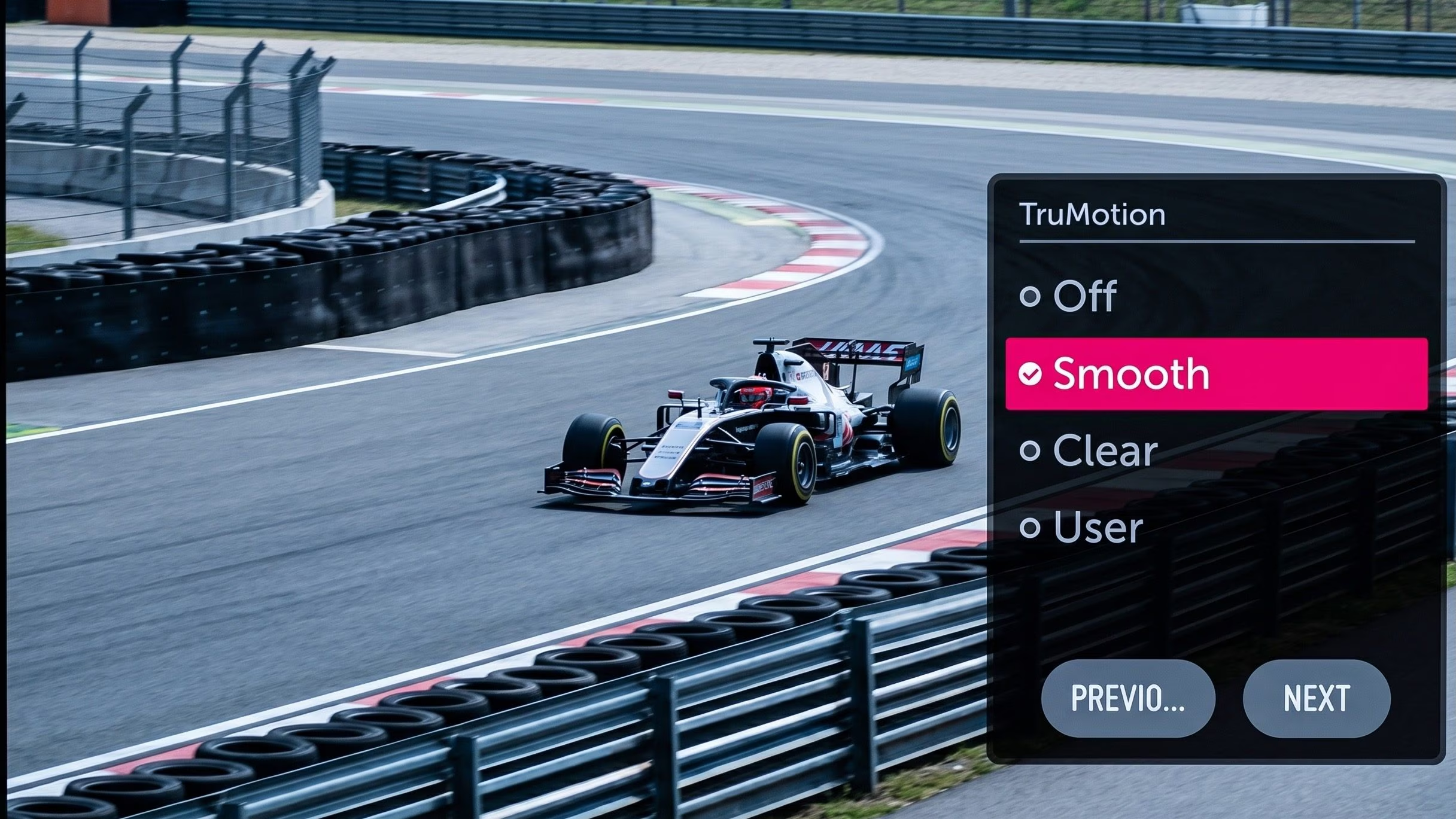
Anyone who has turned on a modern TV after years of using an older generation TV has probably noticed it right away: the movements of the images reproduced on the screen seem fluid, even too fluid. This phenomenon is called the “soap opera effect” and is linked to a technology present in practically all contemporary televisions: motion interpolation, i.e. the interpolation of frames. In essence, the TV recreates intermediate frames, which in fact do not exist in the original video, to artificially increase the perceived fluidity of moving scenes. The purpose of this feature is to improve clarity during dynamic sequences and reduce motion blur, a historical limitation of LCD panels in particular.
The result, however, profoundly changes the appearance of cinematographic content. Films shot at 24 frames per second – the cinema standard – are transformed into something reminiscent of television productions recorded at higher frequencies. It is not a flaw in the strict sense of the term, but a design choice that the producers have continued to develop because it can be useful in some contexts, such as when watching sporting events, in video games or in live broadcasts. The problem is that this processing is often activated by default, even when we watch films and TV series designed to have a completely different aesthetic. For this reason, while television manufacturers continue to propose it as an advanced function capable of enhancing the 120 Hz panels and video processors integrated into modern TVs, true cinema enthusiasts deactivate it by going to the advanced settings of the television.
What is the soap opera effect and what causes it
Behind the soap opera effect there is a very concrete question: the relationship between the frames of the original content and the refresh rate of the television. A video is nothing more than a very rapid sequence of static images shown one after the other. Films and most TV series are historically shot at 24 fps, i.e. 24 frames per second, while sporting events and television broadcasts can even reach 50 or 60 fps. Modern TVs, however, almost always work at 120 Hz (at least in the most recent and medium-high range models), that is, they update the image 120 times per second.
And this is where the “problem” arises, if we can talk about a problem. How do we display 24fps content on a screen that updates the image 120 times per second? A simple solution would be to repeat the same frames multiple times, but this can introduce perceptible jerkiness into camera movements. To avoid this, motion interpolation comes into play. The TV processor analyzes two consecutive frames and, simplifying as much as possible, tries to “guess” how the intermediate one should appear, creating new artificial images to insert between the original ones.
In practice, the television increases the “temporal resolution” of the video. If traditional upscaling invents pixels to increase the spatial definition of an image, interpolation invents entire frames to increase the fluidity of movement. It is a computational process possible thanks to the powerful chips integrated into modern TVs, much more powerful than those of a few years ago.
Why this technology was born
This technology was not born by chance or even just for aesthetic reasons. Early LCD panels had relatively slow response times: pixels took too long to change state, which produced visible trails during rapid movements. Increasing the number of frames helped make transitions smoother and reduced these glitches. Even today, although the panels are much faster, the problem of so-called motion blur remains, i.e. the blurring perceived during movement.
Curiously, this blurriness does not always depend on the content itself but on the way our brain interprets the images. Modern screens use a technique called sample and hold: each frame remains fixed on the display until the next one arrives. When our eyes follow a moving subject, the brain expects the image to continue moving continuously, but the frame remains static for a fraction of a second. This misalignment generates the perception of blur. Increasing the number of frames reduces the time each image remains still and makes the movement appear clearer.
This is why many manufacturers insist so much on this function. From their point of view, motion fluidization enhances high refresh rate panels and immediately shows the consumer that the TV “does something more”. Furthermore, on sports content or live television the effect can actually improve the visual experience, because the brain naturally associates high frequencies with more realistic images.
With cinema, however, the situation changes, and a lot. Modern cinematic aesthetics are built around 24 fps. If you are a movie buff, this concept is probably not new to you. That particular cadence of movements, slightly less fluid than in reality, is an integral part of the visual language of the films. Altering it means changing the very perception of the work. This is why many directors openly criticize the soap opera effect.
How to turn off the soap opera effect on your TV
To eliminate the soap opera effect, simply select a specific mode made available to TV manufacturers and check that motion interpolation is really deactivated. Each manufacturer calls this mode differently. Let’s see some examples on how to deactivate it on TVs from the main brands.
- Samsung: on Samsung televisions the mode in question is called Auto Motion Plus. To disable it, press the Home button on the remote control and follow the path Settings > Picture > Advanced settings > Auto Motion Plus settings (or Image sharpness settings). At this point, select Disabled or Custom. By choosing Custom you will have the possibility to manually intervene on the blur and flicker parameters.
- LG: on LG televisions the same function is called TruMotion. To disable it, press the Settings button on the remote, then select the three dots icon and navigate to Picture > Advanced Settings > Sharpness > TruMotion. Then choose Off or Cinematic Motion.
- Sony: On Sony TVs the feature is called MotionFlow. To deactivate it, press the Settings button or the Home button on the remote control, select the Settings icon and navigate to Picture Settings (or Display and Sound) > Picture > Motion > MotionFlow. Set it to Off or Clear.