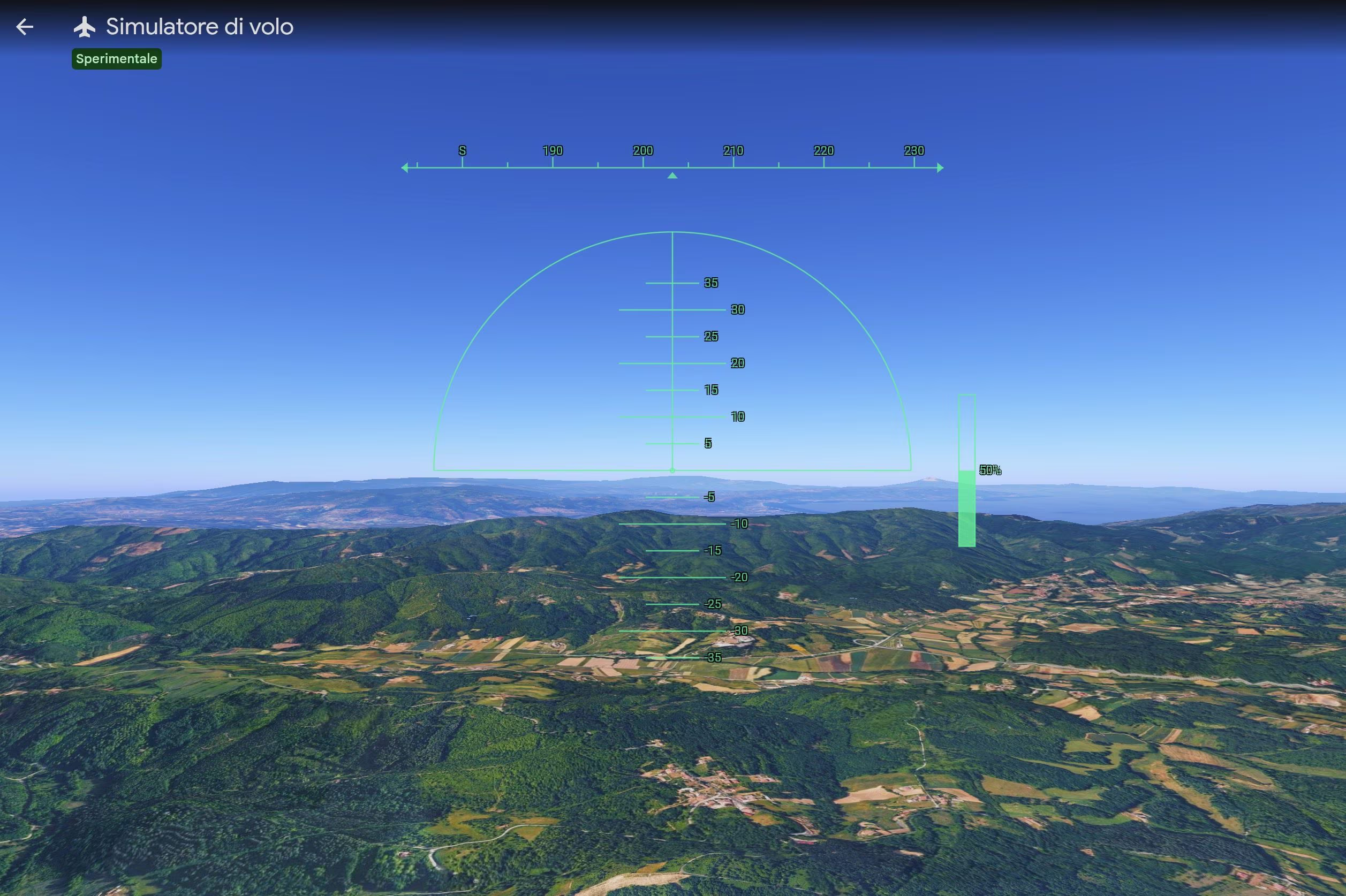
Google has integrated a free flight simulator directly into the web version of Google Earth, accessible to anyone with a computer and an Internet connection. This tool, released on June 12, offers us the opportunity to virtually take off and explore every corner of the planet from a privileged aerial perspective, admiring breathtaking landscapes and three-dimensional urban complexes during our virtual travels using satellite and three-dimensional images.
This is not an absolute novelty for the ecosystem of the Mountain View giant, since a similar function already existed in the professional desktop application, but this is absolutely the first time that the experience lands directly on the browsers of all users and without requiring the installation of heavy programs. Let’s see how it works and how to try it on your PC. The simulator is an experimental feature and, therefore, may have some bugs.
How the new flight simulator and controls work
To start your adventure in the digital skies of Google Earth you must connect to the official website of the service, accessible at earth.google.com, and click on the Start Earth button. After that you need to click on the Explore Earth option to start exploring the Earth. From here, by opening the tools section located in the top menu bar, you can select the Flight Simulator item. You will immediately notice that, as an initial setting, the system shows an abstract drawing of the territory without reliefs; to obtain a truly stunning and extremely realistic visual impact, you need to change the base map setting, switching from standard to satellite view.
Driving the aircraft requires a bit of practice. We can move through space using a series of specific key combinations. If we want to give power to the engine and accelerate we must press the “Page up” button, while to decelerate we will use the “Page down” button. Direction and altitude changes are entrusted to the directional arrows: the down arrow manages the dive, i.e. the action of directing the nose of the plane downwards to lose altitude, while the up arrow governs the climb to gain altitude. The left and right side arrows instead regulate the roll, i.e. the inclination or rotation of the aircraft around its longitudinal axis to perform turns. If we prefer a more fluid guide, just a click inside the game area is enough to transfer all the commands directly to the movement of our mouse. During flight sessions, the normal shortcuts of the classic map, including those for viewing old historical archive photos, are deactivated to avoid annoying overlaps with the pilot’s commands.
We don’t have to fear distracting errors: if we lose control of the vehicle and hit a mountain or the ground, the program won’t punish us with mocking screens or frustrating animations. The system will simply freeze the image and a handy restart button – You’ve had an accident! Reboot? – will allow us to immediately reposition the aircraft at a safe altitude, ready to take off again. When we consider our journey concluded, we just need to click on the return arrow positioned in the upper left corner to “turn off the engines” and return to the classic geographical consultation.
The limits of the flying experience on Google Earth
We must keep in mind that this technology was developed exclusively for use on web browsers and adopts simplified flight physics. This means that the airplane’s movements do not follow the very rigid laws of aerodynamics, but are calibrated to guarantee an experience of pure leisure and occasional entertainment or, to use Google’s words, «iThe flight simulator is designed for casual exploration rather than high-fidelity aerodynamic training»
Another relevant technical aspect concerns dynamic loading: three-dimensional elements and high-resolution photographs are streamed in real time on our screen. As a result, if we decide to travel at breakneck speeds or if we have a low-bandwidth connection, we may notice some temporary delays in loading landscape details. Furthermore, when we find ourselves flying at very low altitudes in geographical areas located below sea level, we may encounter small temporary graphic defects, such as image flickering.